What is Chromatic Aberration in Games? Everything You Need to Know

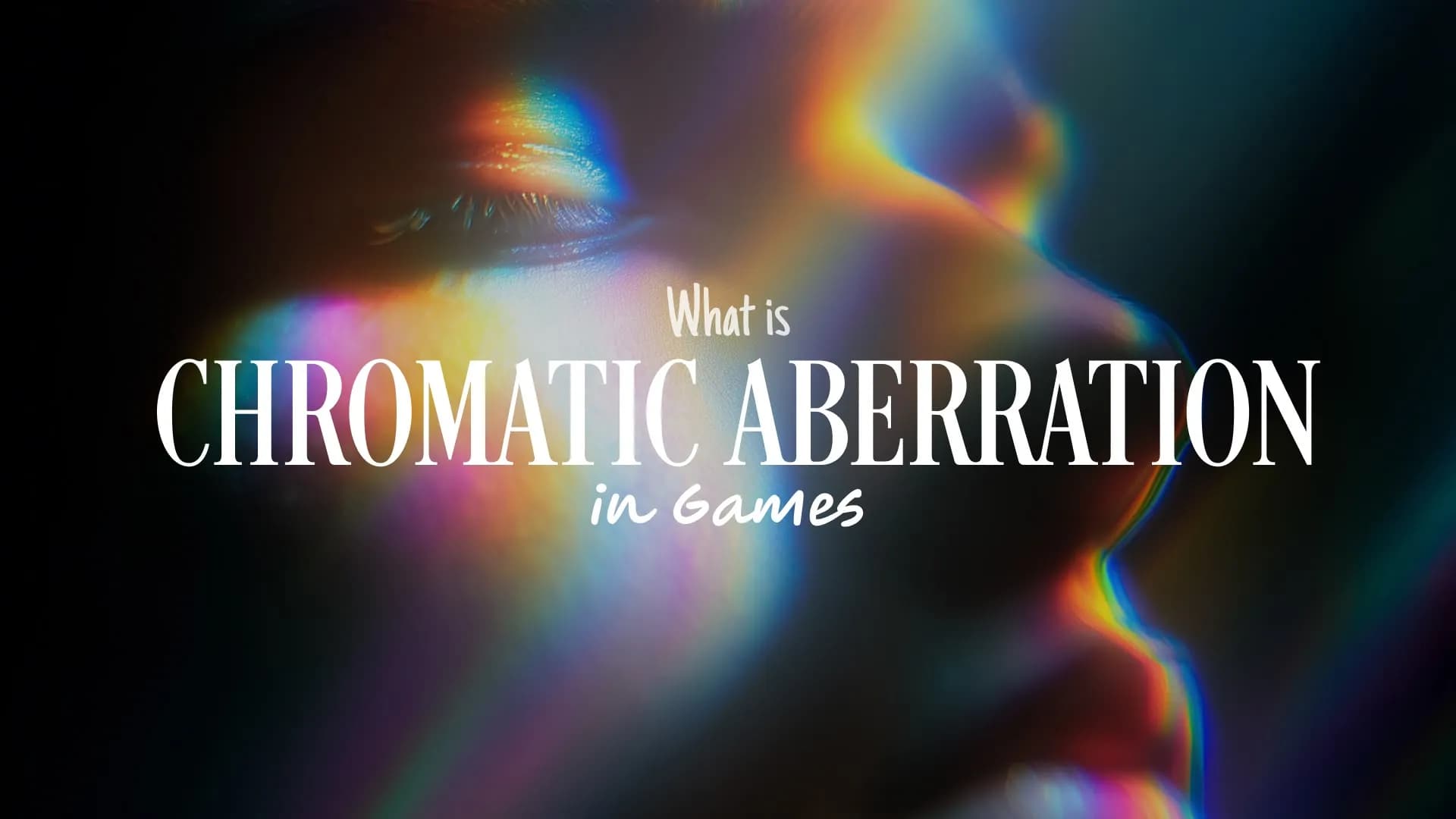
Table of Contents
- Why chromatic aberration matters in gaming
- How chromatic aberration works technically
- Is chromatic aberration good for gaming?
- Should you turn off chromatic aberration in games?
- Should you remove chromatic aberration?
- Why game developers use chromatic aberration
- Final thoughts
- Frequently Asked Questions
- Spotlight FX - Get free transitions, effects and workflow tools
Chromatic aberration in video games is a post-processing effect that simulates color fringing (typically red, green, and blue shifts) around object edges, mimicking real-world camera lens imperfections to add cinematic realism and artistic style to the gaming experience.
Developers apply this effect digitally through shaders during the rendering process, creating intentional "flaws" that make games feel more like you're watching through a camera lens rather than seeing the world directly. The effect comes in two main types: lateral chromatic aberration (edge-based color shifts, commonly used for stylistic periphery distortion) and longitudinal chromatic aberration (depth-based blurring that adds realism to effects like failing vision or damaged equipment).
Why chromatic aberration matters in gaming
Chromatic aberration has become one of the most debated visual effects in modern gaming. While some players appreciate its contribution to atmosphere and cinematic presentation, others view it as an unnecessary distraction that reduces image clarity.
The effect matters because it fundamentally changes how you perceive the game world. When implemented well, it can boost visual storytelling by adding relatable imperfections that guide your attention in complex scenes, particularly in areas with dense foliage or intricate architecture. Games like The Witcher 3 use subtle screen blur to create a more natural look, while Destiny simulates the effect of looking through a helmet visor.
However, the controversy exists because chromatic aberration directly impacts visual clarity. In competitive gaming or precision-focused genres like first-person shooters, even slight blurring around edges can affect your ability to spot enemies or make accurate shots. This has led to ongoing community debates across platforms like Steam and gaming forums, with many players immediately disabling the effect as soon as they launch a new game.
The effect's importance also extends to accessibility. Some players find chromatic aberration causes eye strain or headaches, particularly when combined with other post-processing effects like motion blur and film grain. This is why many advocate for it to always be optional, unless it's core to a game's artistic identity.
How chromatic aberration works technically
Chromatic aberration is applied during the post-processing stage of game rendering, which means it happens after the main 3D scene has been drawn but before the final image appears on your screen.
The effect works by separating the red, green, and blue color channels of the rendered image and shifting them slightly in different directions. This separation is most noticeable at the edges of objects and around the periphery of the screen, where the color channels diverge to create that characteristic rainbow-like fringing.
Modern game engines like Unreal Engine and Unity include built-in chromatic aberration shaders that developers can easily implement and adjust. The intensity can be controlled through various parameters, allowing developers to create anything from barely noticeable subtle effects to dramatic, stylized distortions.
The technical implementation typically involves:
Shader-based processing: The effect uses pixel shaders to manipulate color channels in real-time, requiring minimal computational resources compared to more demanding effects like ray tracing or advanced anti-aliasing.
Screen-space application: Because it's applied to the final 2D image rather than individual 3D objects, chromatic aberration affects everything on screen uniformly, making it an efficient way to add visual style.
Customizable intensity: Developers can adjust the strength of the effect based on in-game events, such as increasing aberration when a character takes damage, enters a specific environment, or experiences altered perception.
Is chromatic aberration good for gaming?
Whether chromatic aberration is good for gaming depends entirely on the type of game you're playing and your personal preferences.
When chromatic aberration works well:
Horror games benefit significantly from chromatic aberration because it subtly disorients players and suggests a departure from reality. Games like Alien: Isolation and Hellblade use the effect to create psychological tension and simulate distorted perception during intense moments.
Narrative-driven and cinematic games can use chromatic aberration effectively during flashbacks, dream sequences, or moments of altered consciousness. When paired with other effects like depth of field, it signals to players that something unusual is happening in the story.
Cyberpunk and sci-fi games often deploy chromatic aberration to reinforce the feeling of a digital, artificial world with technological imperfections. The effect supports the aesthetic of viewing the world through augmented reality interfaces or damaged equipment.
When chromatic aberration doesn't work:
Competitive multiplayer games rarely benefit from chromatic aberration because clarity and precision are paramount. Players in games like Counter-Strike, Valorant, or Apex Legends typically disable all post-processing effects that could interfere with spotting enemies.
Fast-paced action games and platformers can feel worse with chromatic aberration because the effect adds blur during rapid camera movements, making it harder to track objects and navigate precisely.
Games with poor implementation often apply chromatic aberration too heavily, creating what looks like a cheap overlay rather than a subtle enhancement. This has led to widespread criticism in gaming communities, with players calling out specific titles for overusing the effect.
Should you turn off chromatic aberration in games?
For most players, turning off chromatic aberration is recommended, especially if you prioritize visual clarity and competitive performance.
Reasons to disable chromatic aberration:
Improved clarity: Removing the effect eliminates the color fringing and edge blur, resulting in a sharper, cleaner image. This is particularly noticeable when reading text, spotting distant objects, or tracking fast-moving targets.
Better competitive performance: In multiplayer games where split-second reactions matter, any visual distortion can put you at a disadvantage. Professional esports players and competitive gamers almost universally disable chromatic aberration along with motion blur and film grain.
Reduced eye strain: Some players experience discomfort or headaches from chromatic aberration, especially during extended gaming sessions. The constant color shifting at screen edges can be fatiguing for sensitive eyes.
Personal preference: Many gamers simply find the effect unnatural and distracting. Since you're controlling a character directly rather than watching a film, the simulated camera imperfections can break immersion rather than add to it.
Reasons to keep chromatic aberration enabled:
Artistic intent: Some games are specifically designed with chromatic aberration as part of their visual identity. Disabling it might diminish the intended atmosphere or aesthetic experience.
Cinematic feel: If you prefer games that look and feel like interactive movies, chromatic aberration contributes to that film-like quality when combined with other post-processing effects.
Minimal performance impact: Since the effect has negligible impact on frame rates, you can keep it enabled without worrying about performance loss if you genuinely enjoy the look.
The best approach is to test both settings in each game you play. Launch the game, find the graphics options, toggle chromatic aberration on and off, and see which you prefer. There's no wrong answer, it's entirely about your personal gaming experience.
Should you remove chromatic aberration?
Yes, you should remove chromatic aberration if it negatively affects your gaming experience, and no, you don't need to worry about performance gains from disabling it.
Performance considerations:
Chromatic aberration is an extremely lightweight post-processing effect that has minimal to negligible impact on frame rates. Multiple benchmarks and player tests confirm that disabling it rarely produces measurable FPS improvements, typically falling within the margin of error. The effect is far less demanding than features like anti-aliasing, shadow quality, view distance, or anisotropic filtering.
If you're trying to optimize performance on lower-end hardware, you should prioritize adjusting more demanding settings first. Chromatic aberration sits at the bottom of the performance optimization list because removing it won't free up significant GPU resources.
When removal makes sense:
You play competitive games: Precision and clarity trump artistic style in competitive environments. Remove chromatic aberration to ensure you have the clearest possible view of the battlefield.
You find it visually unpleasant: If the effect looks like a smudgy overlay or makes the image feel "off," there's no reason to keep it enabled. Your enjoyment matters more than the developer's intended aesthetic.
You experience discomfort: Eye strain, headaches, or general discomfort from the effect are valid reasons to disable it immediately. Accessibility should always take priority.
The implementation is poor: Some games apply chromatic aberration so heavily that it overwhelms the image quality. In these cases, removal is almost universally recommended by the gaming community.
When to consider keeping it:
If you're playing a carefully crafted single-player experience where the developers have used chromatic aberration subtly and intentionally, you might want to experience the game as designed for your first playthrough. You can always disable it later if it bothers you.
Why game developers use chromatic aberration
Game developers add chromatic aberration to their titles for several artistic and technical reasons, even though it remains controversial among players.
Cinematic presentation: The primary reason developers use chromatic aberration is to make games feel more like films. By mimicking the imperfections of real camera lenses and analog media, the effect creates a visual language that players associate with professional cinematography. This helps blur the line between interactive entertainment and cinematic storytelling.
Mood and atmosphere: Chromatic aberration serves as a powerful tool for setting tone and mood. Horror games use it to create subtle disorientation and unease. Cyberpunk games deploy it to reinforce the feeling of viewing the world through technological interfaces. Narrative-driven games apply it during specific moments to signal altered perception, flashbacks, or dream sequences.
Visual storytelling: The effect can guide player attention in complex scenes. When combined with depth of field and motion blur, chromatic aberration helps focus the player's eye on important elements while adding visual interest to the periphery. This is particularly effective in games with dense environments like forests, cities, or intricate architecture.
Artistic identity: Some games build their entire visual style around post-processing effects, including chromatic aberration. Hellblade: Senua's Sacrifice, for example, uses the effect as part of its "cinematic lens" vision, simulating camera distortions to create authenticity and support the game's themes of perception and reality.
Minimal performance cost: From a technical standpoint, chromatic aberration is attractive to developers because it's applied during post-processing using simple shaders. This means it can dramatically transform a game's visual feel with minimal impact on performance, making it an efficient choice for adding stylistic enhancement across various hardware configurations.
Industry trends: The effect has become standard in modern game engines like Unreal Engine and Unity, where it's often included as a default or easily accessible option. This convenience has led to widespread adoption, sometimes without careful consideration of whether it truly benefits the specific game.
The disconnect with players: Despite these developer intentions, there's often a disconnect between artistic vision and player preference. Many developers assume players will appreciate the cinematic quality, but community feedback consistently shows that a significant portion of players immediately disable chromatic aberration. This has led to ongoing discussions about whether such effects should always be optional, with accessibility advocates and groups like Digital Foundry arguing that player choice should take priority unless the effect is absolutely core to the game's identity.
Final thoughts
Chromatic aberration is a post-processing effect that simulates camera lens imperfections by creating color fringing around object edges. While developers use it to add cinematic realism and support visual storytelling, many players prefer to disable it for improved clarity and competitive performance.
The good news is that chromatic aberration has minimal performance impact, so your decision to enable or disable it should be based purely on visual preference rather than frame rate concerns. Test the setting in each game you play and choose what looks best to your eyes.
If you're playing competitive multiplayer games, precision-focused titles, or simply find the effect distracting, turn it off without hesitation. If you're experiencing a carefully crafted single-player narrative where atmosphere matters, consider trying it enabled to see the game as the developers intended.
Remember that gaming is about your enjoyment. No visual effect, regardless of artistic intent, should compromise your comfort or performance. Most modern games include the option to toggle chromatic aberration independently, so take advantage of that control and customize your experience.
Frequently Asked Questions
What is chromatic aberration in games?
Chromatic aberration in games is a post-processing effect that simulates color fringing (typically red, green, and blue shifts) around object edges, mimicking real-world camera lens imperfections to add cinematic realism and artistic style.
Is chromatic aberration good for gaming?
Chromatic aberration can be good for atmospheric single-player games, horror titles, and cinematic experiences where mood matters more than precision. However, it's generally not good for competitive gaming, fast-paced action games, or any situation where visual clarity is critical.
Should I turn off chromatic aberration in games?
Yes, most players should turn off chromatic aberration for improved clarity, better competitive performance, and reduced eye strain. The effect has minimal performance impact, so disabling it won't hurt frame rates but will provide a sharper, cleaner image.
Should I remove chromatic aberration?
You should remove chromatic aberration if you find it visually unpleasant, play competitive games, experience eye strain, or notice poor implementation. Keep it enabled only if you genuinely enjoy the cinematic look and the game uses it subtly and intentionally.
Why do game developers use chromatic aberration?
Game developers use chromatic aberration to create a cinematic, film-like presentation, set mood and atmosphere, support visual storytelling, and establish artistic identity. The effect is also technically efficient, providing significant visual style changes with minimal performance cost.
Related Posts
 Video Editing
What are Walkie Talkie Codes? A Complete Guide for Film and Video Crews
 Video Editing