15 Best After Effects Resources Every Motion Designer Should Bookmark (2026)

Table of Contents
- 1. Ukramedia
- 2. ECAbrams (Evan Abrams)
- 3. Jake In Motion
- 4. NT Productions
- 5. Animoplex World of Expressions
- 6. Motion Developer Expression Basics
- 7. AE Reference Expressions
- 8. After Effects Expression Reference (Docs for Adobe)
- 9. After Effects Scripting Guide (Docs for Adobe)
- 10. ProVideo Coalition ExtendScript Training
- 11. ScriptUI Dialog Builder
- 12. Zack Lovatt Scriptlets
- 13. Bolt CEP
- 14. Art of the Title
- Frequently Asked Questions
- Conclusion
- Spotlight FX - Get free transitions, effects and workflow tools
After Effects has one of the deepest creative communities in motion design, but finding the right resources when you need them is its own project. The official documentation covers the basics, and YouTube has millions of results for "AE tutorial," but the resources that actually make you better at your craft are scattered across personal sites, GitHub repos, niche YouTube channels, and community-maintained docs that most designers never discover.
This list covers 15 resources that address different stages of a motion designer's development: from beginner-friendly tutorial channels to advanced scripting documentation, from copy-paste expression libraries to full frameworks for building your own Adobe extensions. Every resource here is either free or has a substantial free tier. If you work in After Effects regularly, at least a few of these belong in your bookmarks.
Here are the 15 best After Effects resources for motion designers:
Resource | Best For | Type |
|---|---|---|
Learning expressions visually | YouTube channel | |
AE fundamentals and creative techniques | YouTube channel | |
Concise, project-based AE tutorials | YouTube channel | |
Scripting, extensions, and plugin dev | YouTube channel | |
Structured expression learning path | Video course | |
Expression basics from scratch | Written course | |
Copy-paste expression snippets | Snippet library | |
Official expression API docs | Documentation | |
ExtendScript API reference | Documentation | |
Comprehensive scripting video course | Video series | |
Building script panel interfaces | Web tool | |
Free utility scripts for AE | Script collection | |
Building modern Adobe extensions | Dev framework | |
Title sequence design inspiration | Inspiration |
1. Ukramedia
The teaching style is methodical. Sergei doesn't skip steps or assume you already know JavaScript. Each video walks through the logic behind the expression before writing it, which means you understand why the code works rather than just copying it. That distinction matters when you need to modify an expression for your own project.
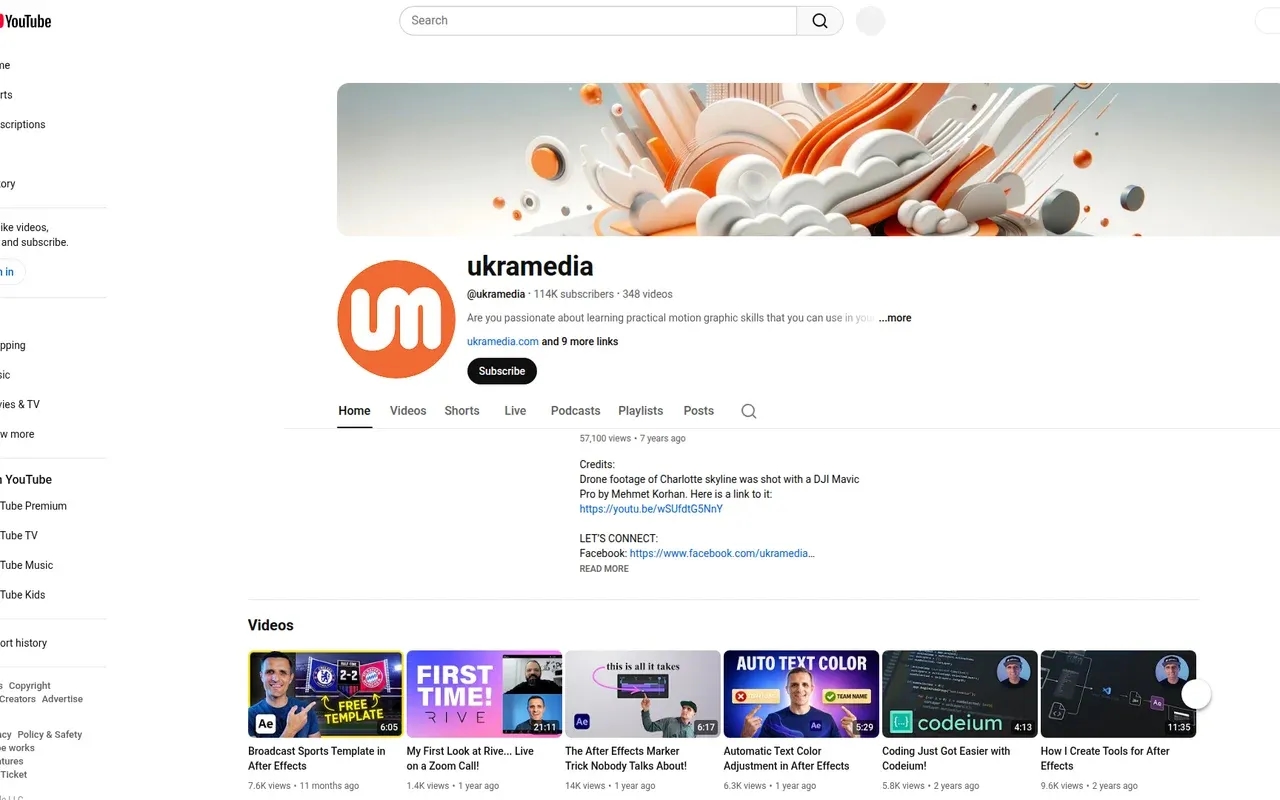
The channel also covers general After Effects techniques, motion graphics workflows, and practical project breakdowns. But the expression content is what sets it apart from every other AE channel on YouTube.
Best for: Motion designers who want to move beyond basic keyframing and learn expressions through practical, project-based examples
2. ECAbrams (Evan Abrams)
Evan Abrams has been using After Effects since 1995, and that depth of experience comes through in his tutorials. The channel covers a wide range of AE techniques: text animation, shape layer repeaters, 3D compositing, portrait animation, C4D Lite integration, and more. His popular videos (several with 500K+ views) focus on practical creative techniques that you can apply to real projects.
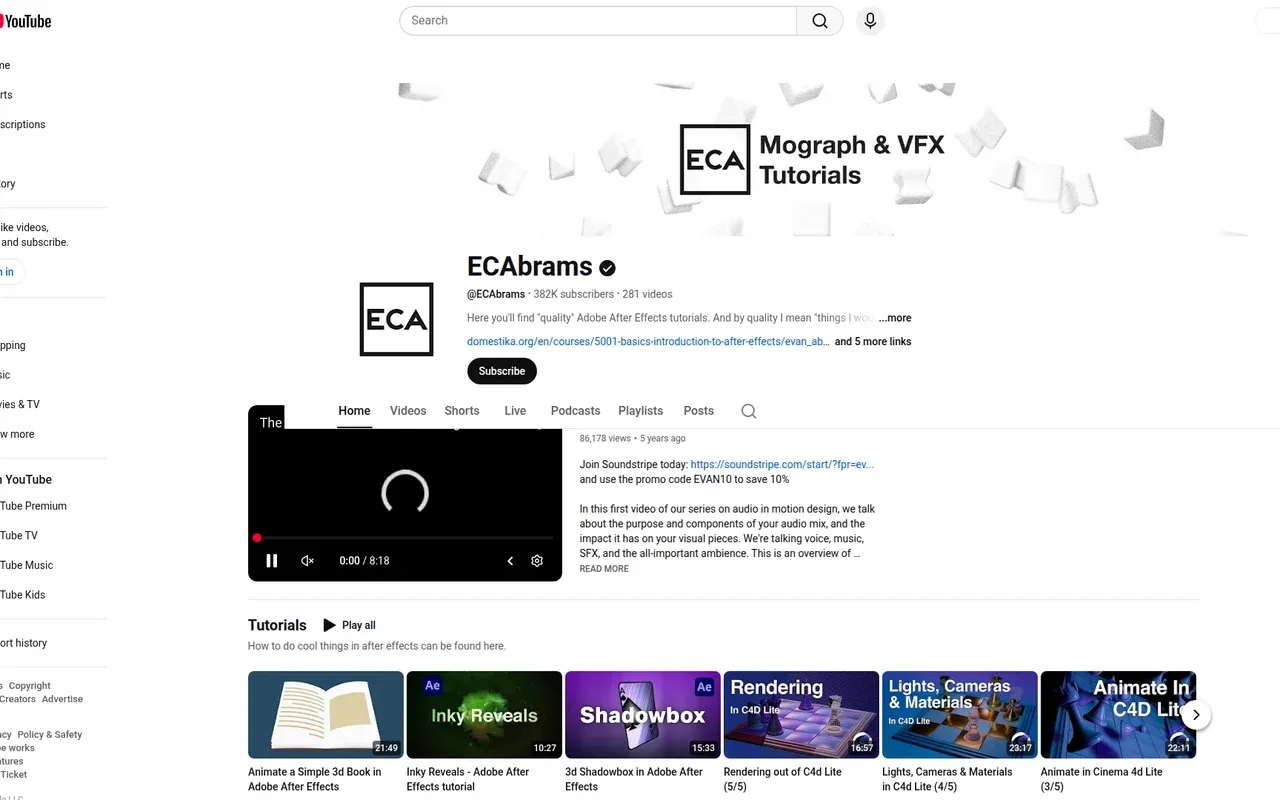
What separates ECAbrams from other tutorial channels is the emphasis on motion design thinking, not just software operation. Videos like "The Role of Audio in Motion Design" and the "Pre-Production for Motion Design" series address the creative and strategic side of the craft that most AE channels ignore entirely. The "Motion Design Hotline" series features interviews with working professionals, giving you insight into how the industry actually operates.
The tutorials are well-structured and clearly explained, making them accessible to beginners without being boring for intermediate users. If you're looking for a channel that teaches you how to think like a motion designer rather than just how to click buttons, this is the one.
Best for: Beginners and intermediate users who want both technical AE skills and broader motion design knowledge
3. Jake In Motion
Jake Bartlett's channel focuses on After Effects and motion design with a style that's direct and project-oriented. Tutorials tend to be concise and well-paced, covering specific techniques like character animation, text effects, and workflow tips. Jake is also known for his work as a Skillshare instructor, and that teaching experience shows in the clarity of his YouTube content.
The channel covers both creative techniques and practical workflow topics, making it useful whether you're trying to learn a new animation style or optimize how you use After Effects day-to-day. The production quality is consistently high, with clean screen recordings and clear narration.
For motion designers who prefer learning by building specific projects rather than watching theory-heavy tutorials, Jake In Motion delivers focused, practical content that you can follow along with in real time.
Best for: Motion designers who learn best through project-based, follow-along tutorials with clean pacing
4. NT Productions
If you've ever wanted to build your own After Effects scripts, extensions, or plugins, NT Productions is the YouTube channel that actually teaches you how. The channel has 191 After Effects scripting tutorials, 45 Premiere Pro scripting tutorials, and 115 Adobe scripting quick tips. That's a library of development content that doesn't exist anywhere else on YouTube at this depth.
The topics range from beginner scripting fundamentals to advanced extension development: building CEP panels, working with UXP plugins, creating preference files, managing JSX folders, and even GPU plugin development. The channel also covers tools in the Adobe extension ecosystem like the After Effects SDK and ExtendScript Toolkit.
For motion designers who want to transition from using scripts to building them, or for developers who want to create tools for the AE community, this is the single most comprehensive free resource available. The 10+ years of content means most common scripting questions have already been answered somewhere in the video library.
Best for: Motion designers and developers who want to build custom scripts, extensions, and plugins for After Effects
5. Animoplex World of Expressions
Parker Young's "World of Expressions" is the most complete structured expression course available for After Effects. It progresses from absolute basics (101: Expression Overview) through basic expressions (wiggle, time, loops), intermediate tools (arrays, color, controls), advanced concepts (triggers, pseudo effects, external JSON), and finishes with a full JavaScript-for-AE programming section.
The course structure follows a numbered system (101 through 507) that makes it easy to pick up where you left off or skip ahead to topics you need. Each lesson includes video instruction, referenced external docs, and the actual expression code on the page. The project files are available for $10 if you want to follow along hands-on.
What makes this different from learning expressions through scattered YouTube videos is the progression. Concepts build on each other intentionally. By the time you reach the 400-level lessons on triggers, presets, and external code, you have the foundation to actually understand them.
Best for: Anyone who wants a structured, start-to-finish expression education rather than piecemeal tutorials
6. Motion Developer Expression Basics
Motion Developer takes a different approach to expression education than video-based courses. The "Expression Basics" course is a written, text-based curriculum that breaks expressions into 10 focused lessons: data types, variables, statement completion values, conditions, referencing layers, objects, native attributes, functions, and native methods.
The written format has a specific advantage for learning code: you can read at your own pace, re-read confusing sections without scrubbing through video, and copy code examples directly. Each lesson builds on the previous one, and the explanations are written by someone who clearly understands that motion designers are not software engineers. The language is accessible without being patronizing.
If you've tried learning expressions from YouTube and found the video format frustrating for code-heavy content, the text-based approach here might click better. The entire course is free.
Best for: Motion designers who prefer reading to watching, and want a clean, structured introduction to expression fundamentals
7. AE Reference Expressions
Sometimes you don't need a tutorial. You need the exact expression snippet for a specific task, and you need it now. AE Reference is a curated library of copy-paste expressions organized by function: wiggle variations, loop expressions, parent-child inheritance overrides, dropdown menu controls, delay systems, anchor point manipulation, and more.
Each expression comes with a plain-language description of what it does, the code ready to copy with one click, and a link to a detailed page with additional context. The library covers the patterns that come up repeatedly in production: looping a wiggle seamlessly, ignoring parent scale, controlling properties with checkboxes, triggering expressions on markers, and formatting dates.
This is the resource you keep bookmarked for those moments when you know the expression exists but can't remember the exact syntax. It's not a learning resource in the traditional sense. It's a reference tool designed for working motion designers who already understand what expressions do and just need the right code for the job.
Best for: Working motion designers who need quick access to common expression patterns without watching a 15-minute tutorial
8. After Effects Expression Reference (Docs for Adobe)
The community-maintained "Docs for Adobe" expression reference is the closest thing to official API documentation for After Effects expressions. It covers every global attribute (thisComp, thisLayer, time, value), every method (comp(), footage(), posterizeTime()), and every object type with their properties and methods.
Where most expression learning resources teach you patterns and recipes, this reference tells you exactly what every expression element does, what parameters it accepts, what it returns, and how it behaves in different contexts. It's the resource you reach for when you need to know the precise behavior of toComp() versus toWorld(), or what data type sourceRectAtTime() actually returns.
The documentation is open source, hosted on GitHub, and maintained by the AE community. It stays current as Adobe adds new expression features to After Effects.
Best for: Expression writers who need precise API documentation rather than tutorials or recipes
9. After Effects Scripting Guide (Docs for Adobe)
The After Effects Scripting Guide is the community-maintained documentation for the ExtendScript (and now JavaScript) scripting API. Originally derived from Adobe's official CS6 scripting guide, it has been continuously updated by contributors to reflect the current state of scripting within After Effects.
This is the reference documentation for anyone writing scripts that automate After Effects: accessing project items, manipulating comps and layers, controlling the render queue, reading and writing keyframes, and building ScriptUI panels. Every object in the scripting object model is documented with its properties, methods, and usage notes.
If you're using tools like KBar3 or Automation Blocks and want to understand what's happening behind the scenes, or if you want to write your own scripts, this is the API reference you need. Combined with the expression reference above, these two resources form the complete technical reference for After Effects programming.
Best for: Script and tool developers who need API reference documentation for the After Effects scripting object model
10. ProVideo Coalition ExtendScript Training
David Torno's ExtendScript Training series on ProVideo Coalition is a 14-hour video course that covers the full arc from JavaScript basics to building functional After Effects scripts with GUIs. The 19 episodes (many with multiple parts) start with fundamentals, move through the AE object model, and progress to practical projects: batch processing, custom functions, building floating and dockable panels, reading/writing keyframes, and exporting data to text files.
What makes this series valuable is that it was one of the first comprehensive video training resources for AE scripting, and it's still relevant. The ExtendScript fundamentals it teaches remain the foundation for most After Effects scripts in use today.
The entire series is available free on ProVideo Coalition. Downloadable files are available for $15 on Gumroad.
Best for: Motion designers who want to learn script development through a structured video course with progressive projects
11. ScriptUI Dialog Builder
Building user interfaces for After Effects scripts means writing ScriptUI code, which is one of the more tedious parts of script development. Joonas Pääkkö's ScriptUI Dialog Builder is a web app that lets you design script panel interfaces visually. You drag and drop UI elements (buttons, text fields, dropdowns, sliders, checkboxes, panels) into a layout, configure their properties, and export the resulting JavaScript code.
The tool handles the aspects of ScriptUI that are most annoying to write by hand: positioning, sizing, margins, alignment, and nesting.
Best for: Script developers who want to design AE script panel interfaces visually instead of writing ScriptUI code by hand
12. Zack Lovatt Scriptlets
Zack Lovatt is one of the most respected developers in the After Effects scripting community, and his scriptlets collection is a library of small, single-purpose scripts that each solve one specific problem.
The scripts are designed to work with launcher tools like KBar, Tool Launcher, or Quick Menu. You download a .jsx file, assign it to a button, and it runs when you click.
The collection is also a learning resource. Reading through the scriptlet source code is an excellent way to learn practical ExtendScript patterns. Available on both the website and GitHub.
Best for: Motion designers who want free, ready-to-use utility scripts, and script developers who want to learn from well-written AE code
13. Bolt CEP
Bolt CEP by Hyper Brew is a modern development framework for building Adobe CEP (Common Extensibility Platform) extensions. If you've outgrown single-file scripts and want to build real extensions with modern web technologies (React, Vue, Svelte), bundling (Vite), and TypeScript support, Bolt CEP provides the scaffolding.
The framework handles the parts of extension development that are notoriously painful: manifest configuration, signing, packaging, debug setup, and the bridge between the web panel and the host application's scripting engine.
Best for: Developers who want to build polished Adobe extensions using modern web frameworks and tooling
14. Art of the Title
Every resource on this list so far addresses the technical side of working in After Effects. Art of the Title addresses the creative side. The site is a curated archive of title sequences from film and television, with in-depth interviews, analysis, and behind-the-scenes breakdowns of how each title sequence was conceived and executed.
The articles go beyond surface-level appreciation. They cover the design decisions, the collaboration between directors and title designers, the technical constraints that shaped creative choices, and the storytelling function that title sequences serve.
Best for: Motion designers looking for creative inspiration and craft-level analysis of professional title sequence work
Frequently Asked Questions
Where should a complete beginner start learning After Effects expressions?
Start with Motion Developer's Expression Basics course for a clean, text-based introduction to fundamentals. Once you're comfortable with variables, conditions, and functions, move to Animoplex's World of Expressions for deeper, video-based instruction. Keep AE Reference bookmarked for when you need specific snippets during actual projects.
Are these resources compatible with the latest version of After Effects?
All documentation and reference sites listed here are actively maintained. The Docs for Adobe expression reference and scripting guide are updated by contributors as Adobe changes the APIs.
What is the difference between expressions and scripts in After Effects?
Expressions are code snippets attached to individual properties (like Position or Opacity) that dynamically calculate values. Scripts are standalone programs that automate After Effects operations.
Is there a free way to learn After Effects scripting from scratch?
Yes. Start with ProVideo Coalition's ExtendScript Training, a 14-hour free video series that covers JavaScript basics through building functional AE scripts with interfaces. Supplement it with the AE Scripting Guide as your API reference.
How do I find the right After Effects plugin for a specific task?
AAEPlugins catalogues 1,300+ tools organized by category and tags. You can filter by pricing model (free, freemium, paid, subscription), browse curated collections like best free plugins or workflow tools, and read side-by-side comparisons.
What tools do I need to start building my own After Effects extensions?
For basic scripts, you need a text editor and After Effects. For full extensions with panels and UI, use Bolt CEP with Node.js, npm, and a modern code editor like VS Code.
Where can I find inspiration for motion design and title sequences?
Art of the Title is the definitive resource for title sequence analysis and designer interviews.
Conclusion
If you only bookmark three resources from this list, make them AAEPlugins for plugin discovery, Animoplex's World of Expressions for learning, and AE Reference for daily production use.
For motion designers who want to go beyond using After Effects and start extending it, the combination of NT Productions, the AE Scripting Guide, and Bolt CEP provides a complete path from first script to published extension.
If you're looking to expand your plugin toolkit, the best free After Effects plugins and best workflow plugins posts cover the tools side of the equation.
Related Posts
 After Effects